The Complete Guide to Network Refresh for Ontario SMEs
By Umer Khalid, President · Published · 9 min read
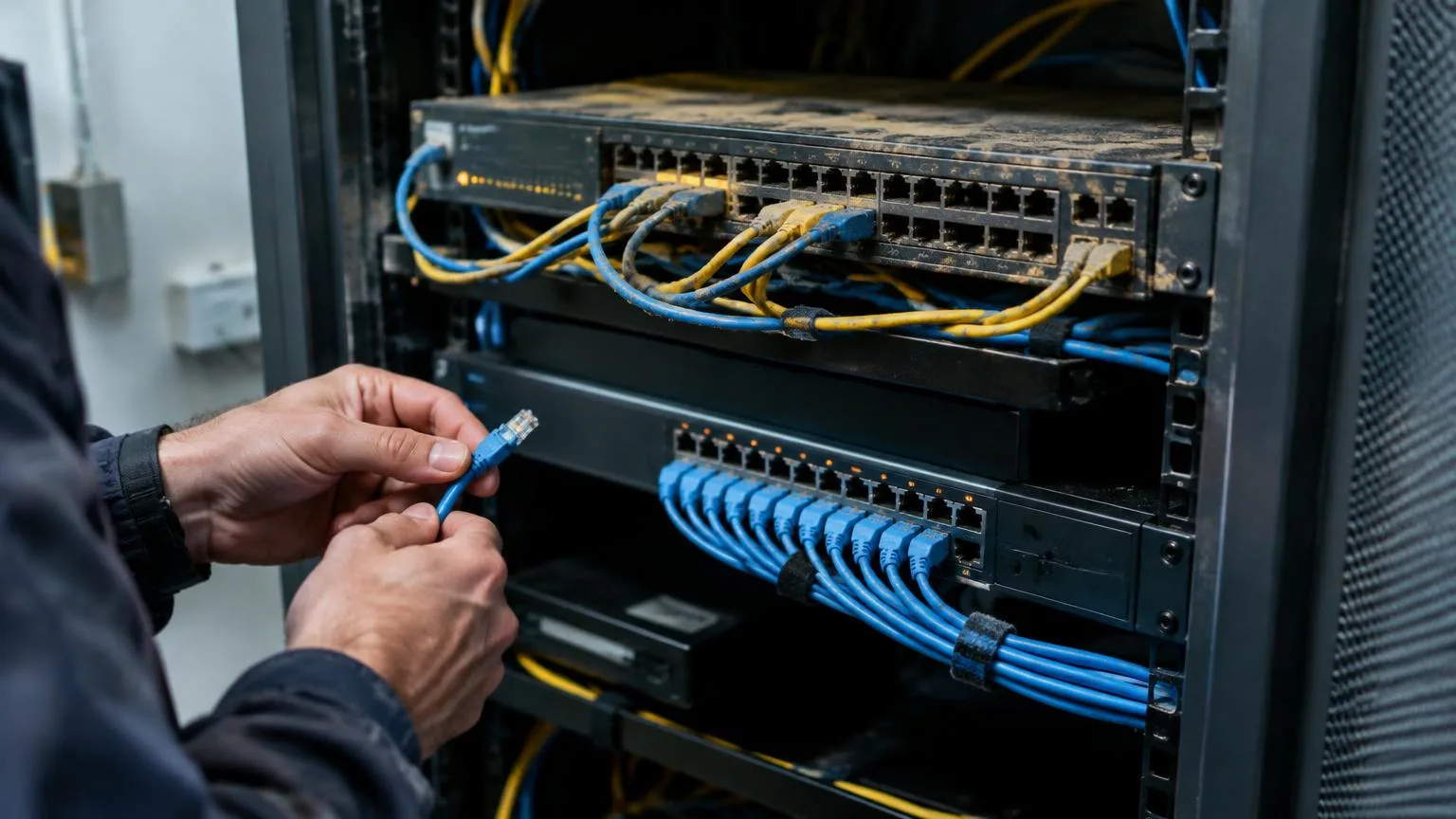
Here's a call I get more often than you'd think. A business owner says the Wi-Fi "keeps dropping," video calls freeze every afternoon, and someone in the office swears the internet was faster last year. We go on site, open the comms closet, and find a switch that's older than some of their staff, a firewall that stopped getting security updates two years ago, and a tangle of cables nobody wants to touch.
None of that is unusual. Aging network infrastructure is one of the most common problems I see at Ontario businesses, and it's one of the easiest to ignore, because the network mostly keeps working until the day it doesn't. This guide is my plain-English walk through how to tell whether your network needs a refresh, what your options are, and how a refresh ties into cybersecurity, IT compliance and managed IT services.
The short answer: when does an Ontario SME need a network refresh?
- Plan a network refresh when key equipment (firewalls, switches, wireless access points) is past its manufacturer's support date, no longer receives security updates, or can't keep up with how your team works today.
- Most businesses review core network gear every five to seven years, with firewalls and wireless often needing attention sooner.
- A good refresh starts with an assessment, then replaces equipment in planned phases with minimal downtime, and ends with documentation and ongoing monitoring.
- Done right, a refresh closes security gaps, supports compliance evidence and makes your network easier to manage, whether by your own team or a managed IT provider.
Warning signs of aging network infrastructure
You don't need to be technical to spot most of these. If three or more sound familiar, it's time for an assessment:
- End-of-life equipment. The vendor no longer releases firmware or security patches for your firewall, switches or access points.
- Slow or unstable connections. Dropped Wi-Fi, frozen video calls and slow file access, especially at busy times.
- Cloud apps feel sluggish. Microsoft 365, your line-of-business software or VoIP phones perform worse than they should.
- Nobody has a network map. No one can say with confidence what's plugged in where, or who has the admin passwords.
- Consumer-grade gear in a business setting. A retail router doing the job of a business firewall.
- Flat network. Guest Wi-Fi, staff laptops, printers and cameras all share the same network.
- Insurance or audit questions you can't answer. Your cyber insurer asks about firewall rules, segmentation or logging, and you're not sure.
Why a network refresh is really a cybersecurity decision
I want to be direct about this: an outdated network isn't just slow, it's a security risk. The Canadian Centre for Cyber Security continues to name ransomware as the top cybercrime threat to Canadian organizations, and attackers routinely go after unpatched edge devices like firewalls and VPN appliances because they're a way in that nobody is watching.
A modern refresh lets you build in protections that older gear often can't support well:
- Next-generation firewalls with intrusion prevention, web filtering and regular threat updates
- Network segmentation that separates guest Wi-Fi, staff devices, servers, phones and smart devices
- Secure remote access with multi-factor authentication instead of old VPN setups
- Centralized logging, so suspicious activity can actually be reviewed
- Business-grade wireless with modern encryption standards
That's why I always recommend pairing network refresh services with cybersecurity services. New hardware with old habits doesn't fix much.
How a network refresh supports IT compliance
Whether you answer to PIPEDA, Ontario's PHIPA, Quebec's Law 25, PCI DSS for card payments, or a large customer's security questionnaire, the questions tend to sound the same: Are your systems patched? Is sensitive data separated? Can you show who accessed what? Can you detect an incident?
Unsupported network equipment makes every one of those answers harder. A refresh is a chance to fix the evidence trail too: current firmware, documented firewall rules, segmentation diagrams, an asset inventory and logs you can actually produce. I'm an IT guy, not a lawyer, so check your specific obligations with your privacy counsel, but in my experience auditors and insurers notice the difference quickly. Our compliance and risk management work usually starts right here.
Your network refresh options
1. Full refresh
Replace firewall, switches and wireless together in one planned project. Best when most equipment is aging at the same time. Cleanest result, highest one-time cost.
2. Phased refresh
Replace the highest-risk pieces first, usually the firewall and anything past end of support, then switches and wireless over the next budget cycles. This is what most Ontario SMEs choose because it spreads the cost.
3. Targeted upgrades
Fix a specific problem, such as poor Wi-Fi coverage in a warehouse or a new office expansion. Useful, but make sure you're not patching around a bigger issue.
4. Managed or subscription network
Some businesses prefer to treat network equipment as part of a monthly managed service, with monitoring, firmware updates and replacement planning included. It trades a large upfront purchase for predictable costs.
How the refresh process works
- Assess. Inventory every device, check support dates, test performance and review security settings.
- Plan. Design the new network around how your people actually work today, including cloud apps, remote staff and growth.
- Procure. Choose business-grade equipment with a clear support lifecycle. Our hardware procurement team handles this for many clients.
- Cut over. Install and switch over in planned windows, usually evenings or weekends, so the business keeps running.
- Document and monitor. Hand over network diagrams, configurations and passwords in a secure vault, then monitor the network on an ongoing basis.
Where managed IT services fit
A refresh is a project. Keeping the network healthy afterward is a job. That's where managed IT services come in: 24/7 monitoring, firmware and security updates, alerting when something fails, and planning the next refresh before equipment reaches end of life. For Canadian mid-market firms with internal IT, a co-managed arrangement can cover the monitoring and security while your team runs the rest. Either way, the goal is simple: never end up with a five-year-old firewall nobody remembers to update again.
Frequently asked questions
How often should a business refresh its network?
Many businesses review core network equipment every five to seven years. Firewalls and wireless access points often need attention sooner, and any device that no longer receives security updates should be replaced promptly.
How do I know if my network equipment is end of life?
Check the manufacturer's published end-of-sale and end-of-support dates for each model. A managed IT provider can inventory your equipment and produce this list for you.
Will a network refresh cause downtime?
Some changeover is unavoidable, but a well-planned refresh schedules cutovers after hours or in phases, so most staff notice little or no disruption.
Does a network refresh improve cybersecurity?
Yes. Modern firewalls, segmentation, secure remote access and supported firmware close many of the gaps attackers commonly exploit in older networks.
Can a network refresh help with compliance?
It can make compliance evidence much easier to produce, including current patches, documented firewall rules, segmentation and logs. Your organization remains responsible for its legal obligations.
Should network management be part of managed IT services?
For most Ontario SMEs, yes. Ongoing monitoring, updates and lifecycle planning keep the network secure after the refresh and help you budget for the next one.
Next steps
If you're not sure how old your network really is, that's the place to start. We'd be glad to take a look. Learn more about our IT infrastructure and network management, read our complete guide to managed IT services in Canada, contact our team, or call 1-866-400-0786.
Umer
Sources
About the author
Umer Khalid, President
Written and reviewed by the Outsource IT team, a Burlington, Ontario managed IT services provider supporting businesses across the GTA for over 20 years. Meet the team.
Want this handled for you?
Outsource IT keeps Ontario businesses secure, supported and running. Book a short call, or score your current setup with our free IT Health Check.